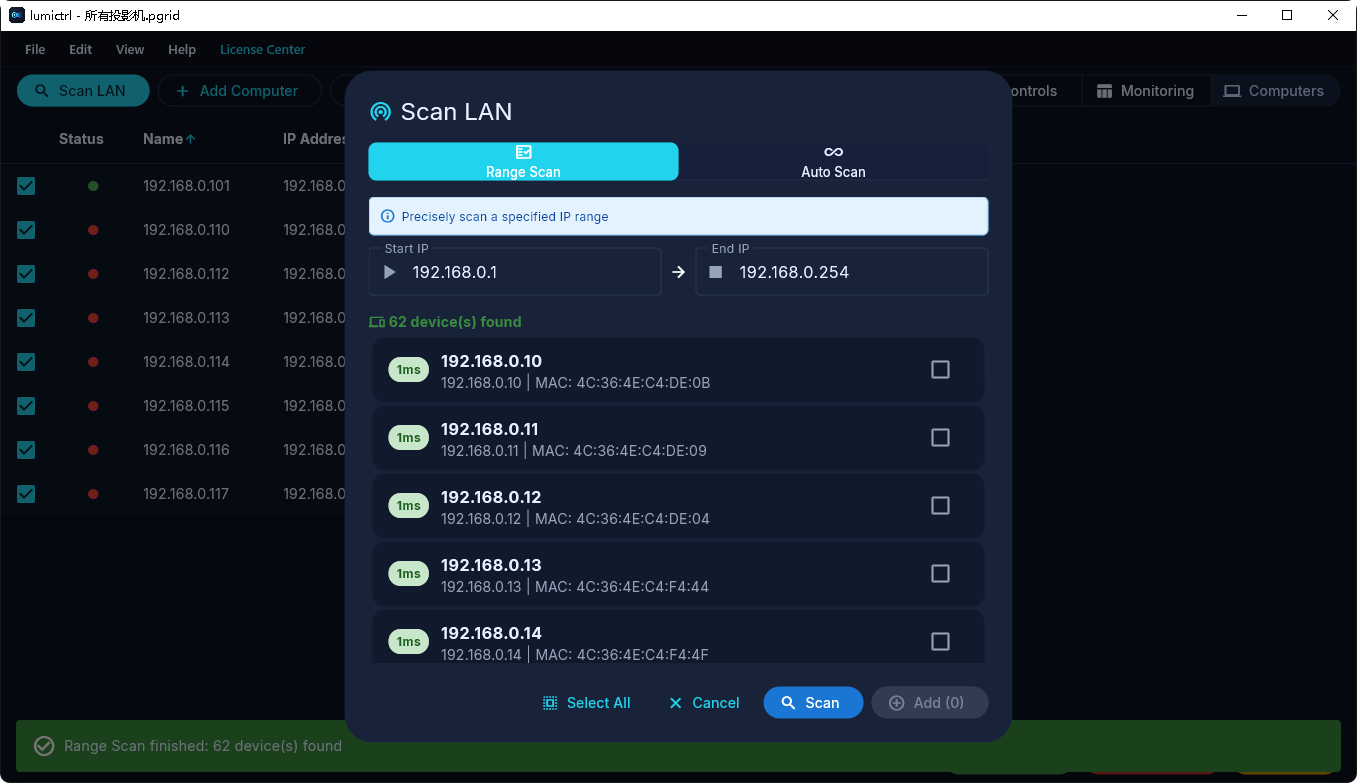
LumiCtrl is cluster control software built for engineering projection scenarios. It is compatible with engineering projectors from mainstream brands and gives AV system installers and enterprise IT administrators a convenient, centralized management platform. With LumiCtrl, users can remotely manage and monitor multiple networked projectors, and handle projector deployment scheduling and device status synchronization in one place. Its main functions include projector system management, device group management, network parameter configuration, real-time status monitoring, and advanced image processing.
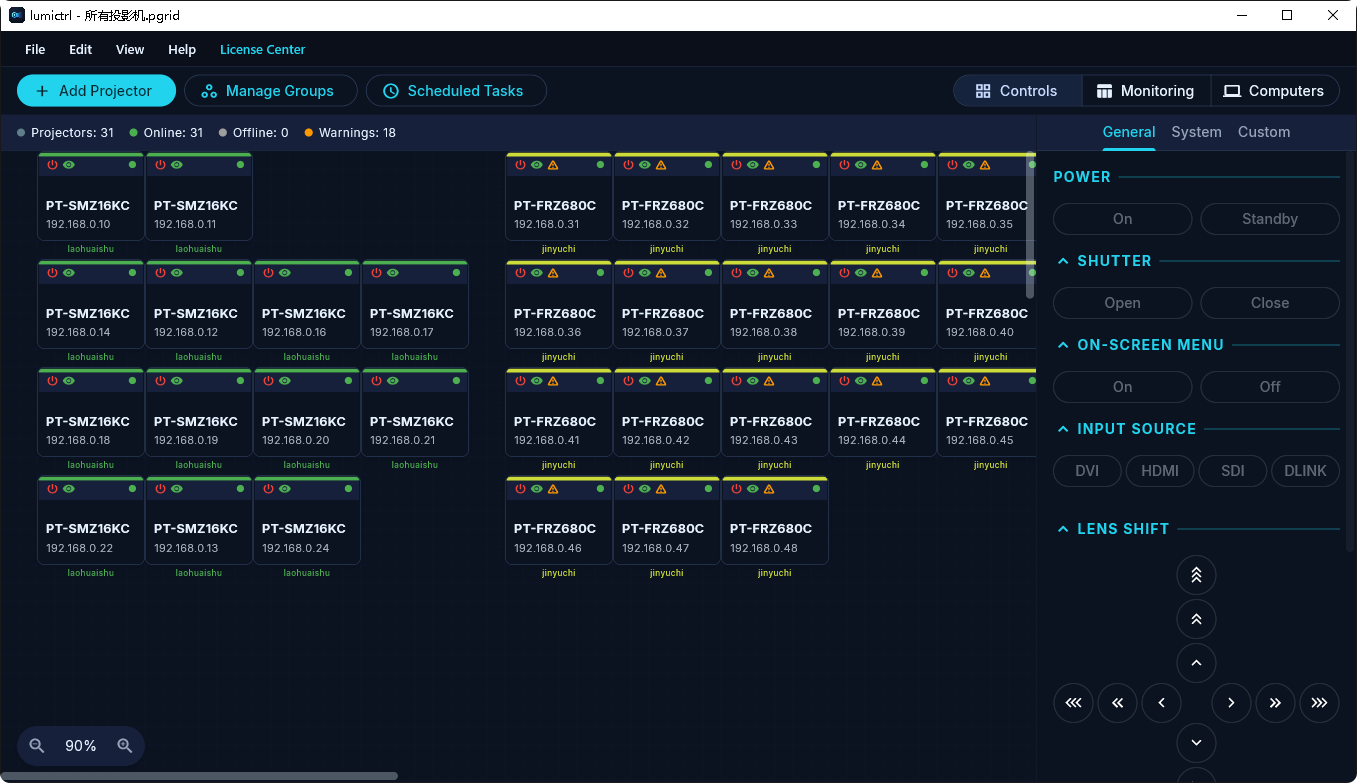
Users can control individual or multiple projectors on the same local network, create custom device groups, and synchronize control across a group. The software automatically scans for and discovers all online projectors on the local network, lets you customize the scan interval, and reads device operating status in real time. System management is the core capability of LumiCtrl. On a single unified network, operations and maintenance staff can monitor and control one or even multiple projectors from one place. For installation engineers and administrators, all equipment is managed centrally on one platform, regardless of where the projectors are installed on site or the environment they operate in.
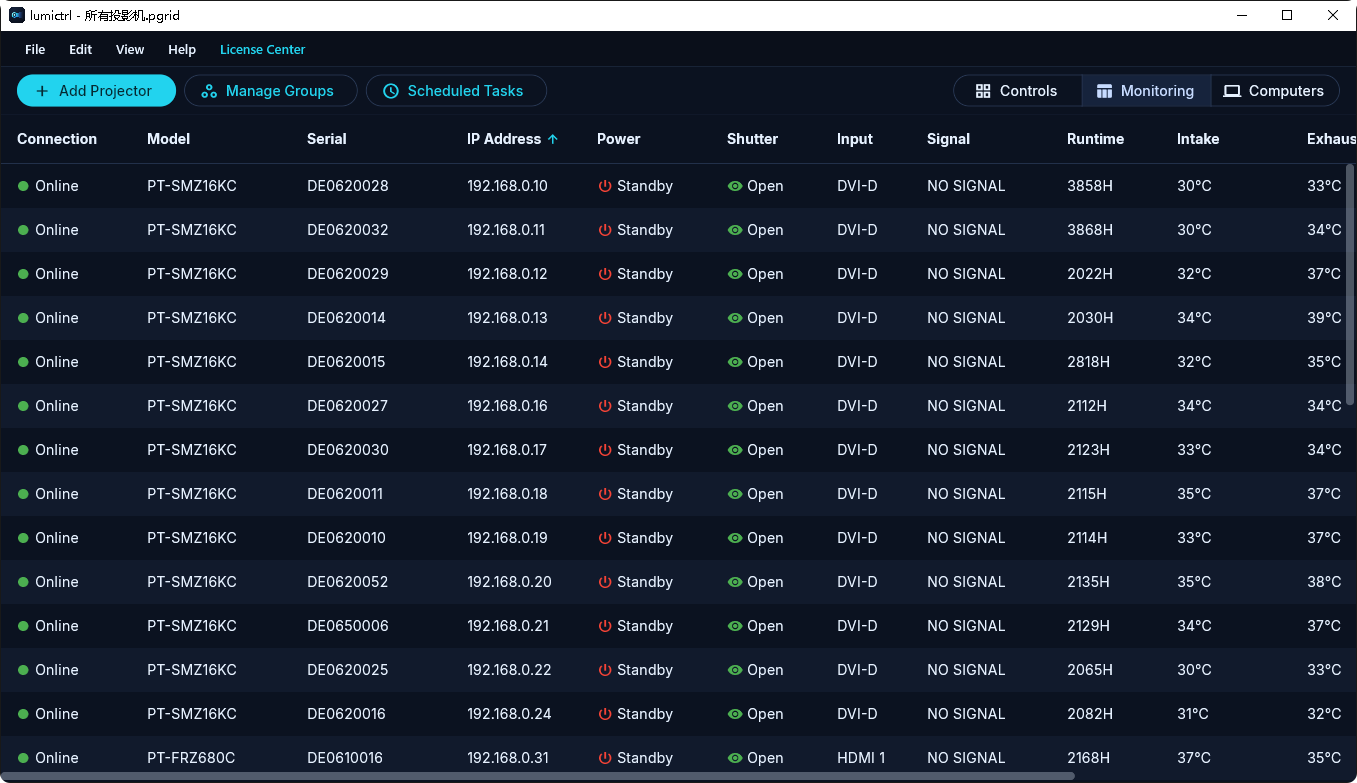
Projection equipment can be remotely operated and maintained anytime, anywhere, which effectively improves the efficiency of on-site maintenance work. Group management is another core capability of LumiCtrl. Within the software, users can freely create and name device groups, then manage projectors by grouping and categorizing them. Operations staff can send control commands to an entire set of projectors with a single click, with no need to operate each projector individually. This simplifies multi-device operation and maintenance and significantly improves management efficiency and the user experience. LumiCtrl's standout advantage is its simplicity and ease of use. Once the software is running, it automatically searches for projectors on the local network and displays them in the interface. There is no need to manually register devices or enter device IP addresses and connection parameters one by one. Open the software to quickly access and manage all projection devices. The lightweight, easy-to-use design lowers the learning curve, so operations and maintenance staff can get up to speed quickly and enjoy the convenience of centralized control.